


Intelligent Assistant
Chat with our virtual assistant to get answers promptly.
We use essential cookies for the website to function, as well as analytics cookies for analyzing and creating statistics of the website performance. To agree to the use of analytics cookies, click "Accept All". You can manage your preferences at any time by clicking "Cookie Settings" on the footer. More Information.
HMS Core
Dear developer!
Due to business adjustments, We closed the Huawei Analytics service portal on June 30, 2024 and no longer support new user registration. Developers of projects that have already activated Huawei Analytics services should prepare for data backup and migration in advance. We sincerely hope that you can continue to enjoy high-quality services on the new platform!
Analytics Kit is a one-stop user behavior analysis platform for products such as mobile apps, web apps, quick apps, quick games, and mini-programs. It offers scenario-specific data collection, management, analysis, and usage, helping enterprises achieve effective user acquisition, product optimization, precise operations, and business growth.
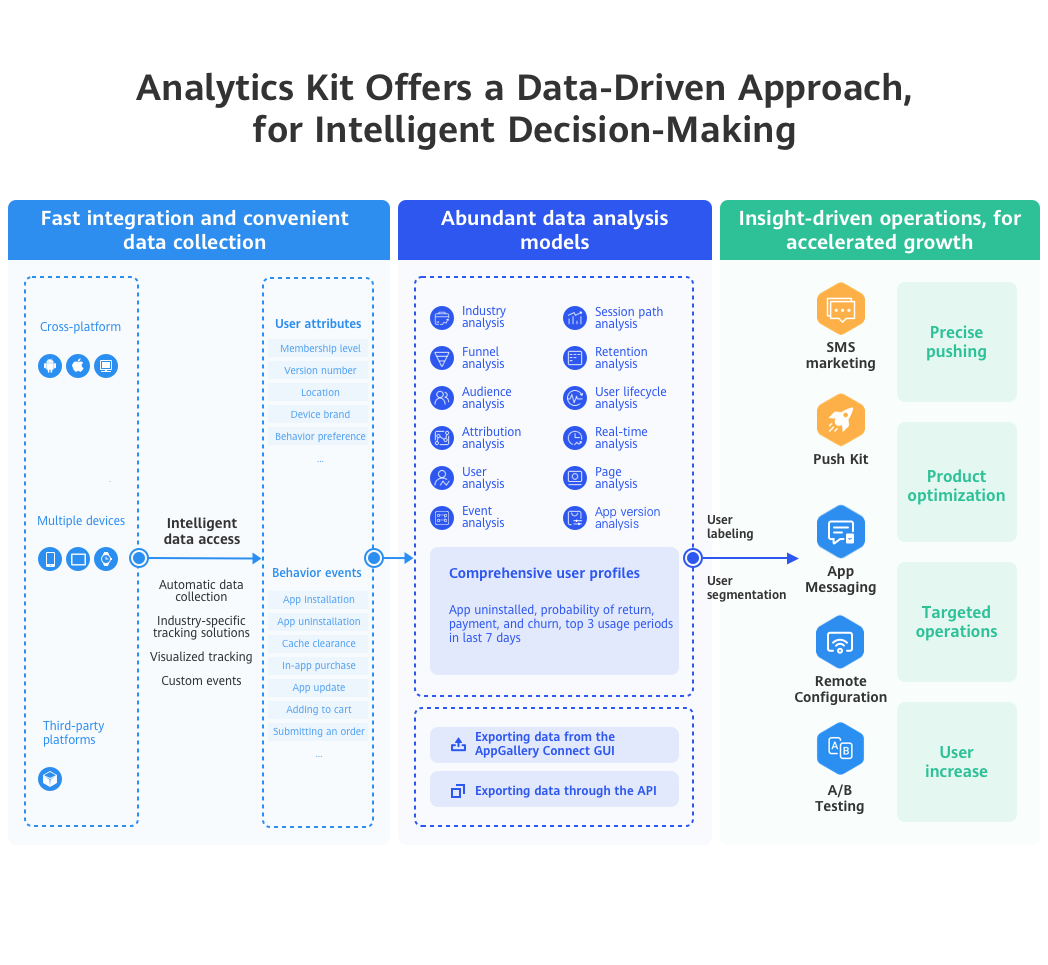
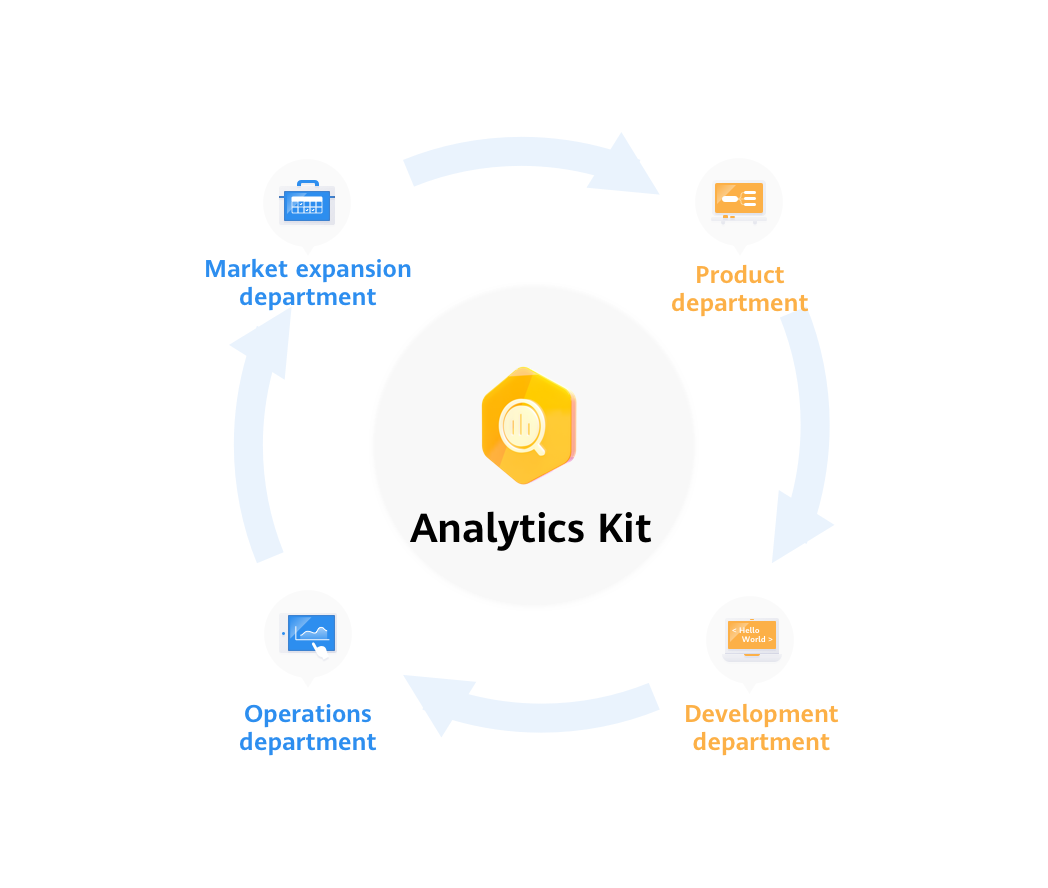
It is a one-stop digital, intelligent data analysis platform tailored to meet the needs of enterprises' cross-departmental and cross-role personnel.
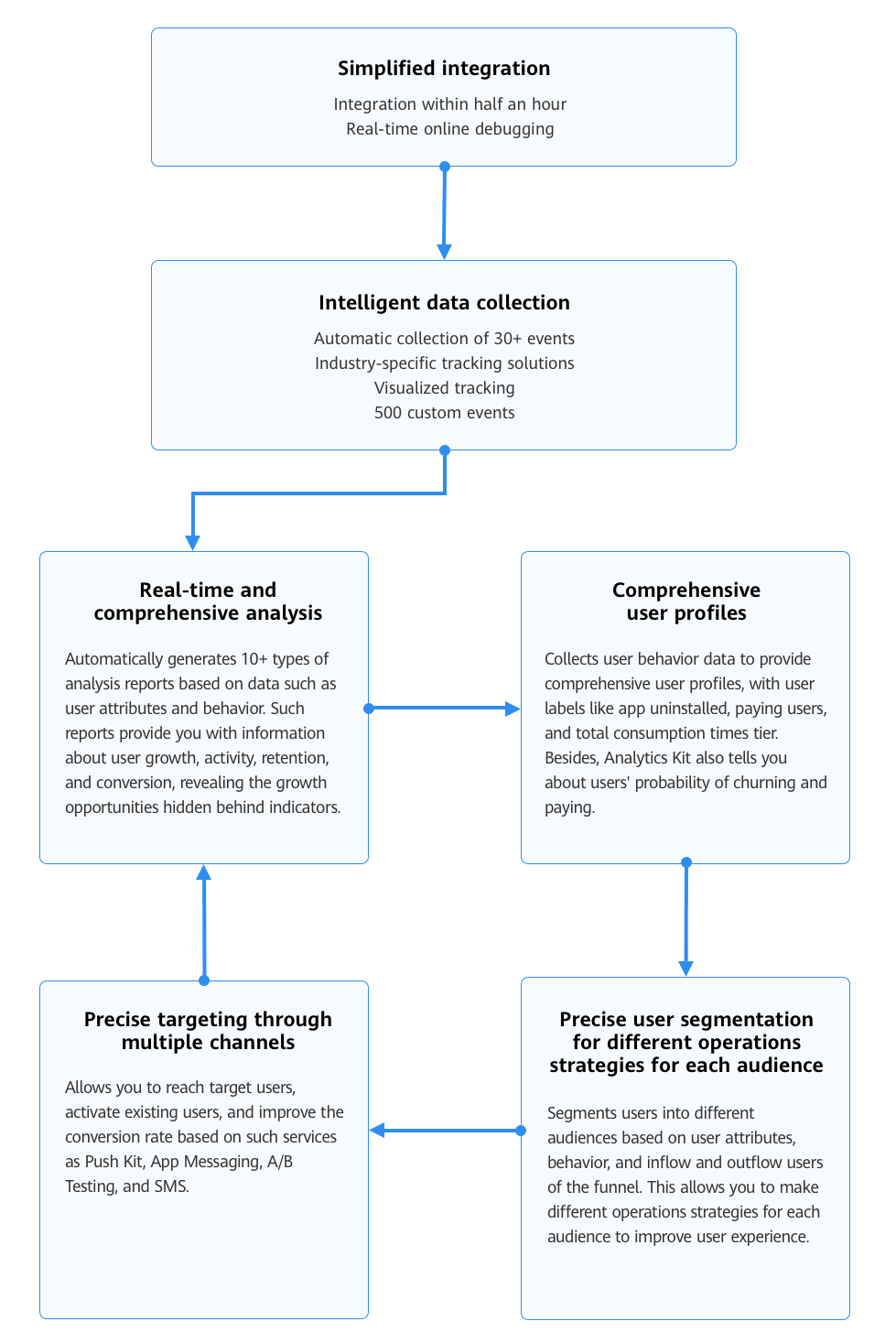
Based on the user events and user attributes automatically collected by the Analytics SDK, as well as the reported user behavior data, Analytics Kit can automatically generate data dashboards and analysis reports on user retention, users, user behavior, user lifecycle, app versions, and crashes. In addition, it supports multi-dimensional drill-down analysis and comparison, satisfying data analysis requirements of different roles, such as the marketing personnel, product managers, activity operations personnel, user experience management personnel, and technical developers, as well as driving intelligent business analysis and decision-making.
Platform | Device Type | OS Version | HMS Core (APK) Version |
|---|---|---|---|
Android | Huawei phone and tablet | EMUI 3.0 or later | The basic functions of Analytics Kit are usable even if HMS Core (APK) is not installed on devices where your app is running. Analytics Kit will not prompt users to install HMS Core (APK). |
Non-Huawei phone and tablet | Android 4.3 or later | ||
HUAWEI Vision | EMUI 9.0 or later | ||
HarmonyOS | Huawei phone, Huawei tablet, HUAWEI Vision, and Huawei smart watch (Lite wearable devices are not supported.) | HarmonyOS 2.0 or later | |
iOS | iPhone, iPad, and iPod touch | iOS 9.0 or later | N/A |
macOS | iMac, Mac mini, Mac Pro, and MacBook | macOS 10.12 or later | |
Web | All | All | |
Quick app | Huawei phone, Huawei tablet, and HUAWEI Vision | All | |
Quick game | Huawei phone, Huawei tablet, and HUAWEI Vision | All | |
WeChat mini-program | All | All |
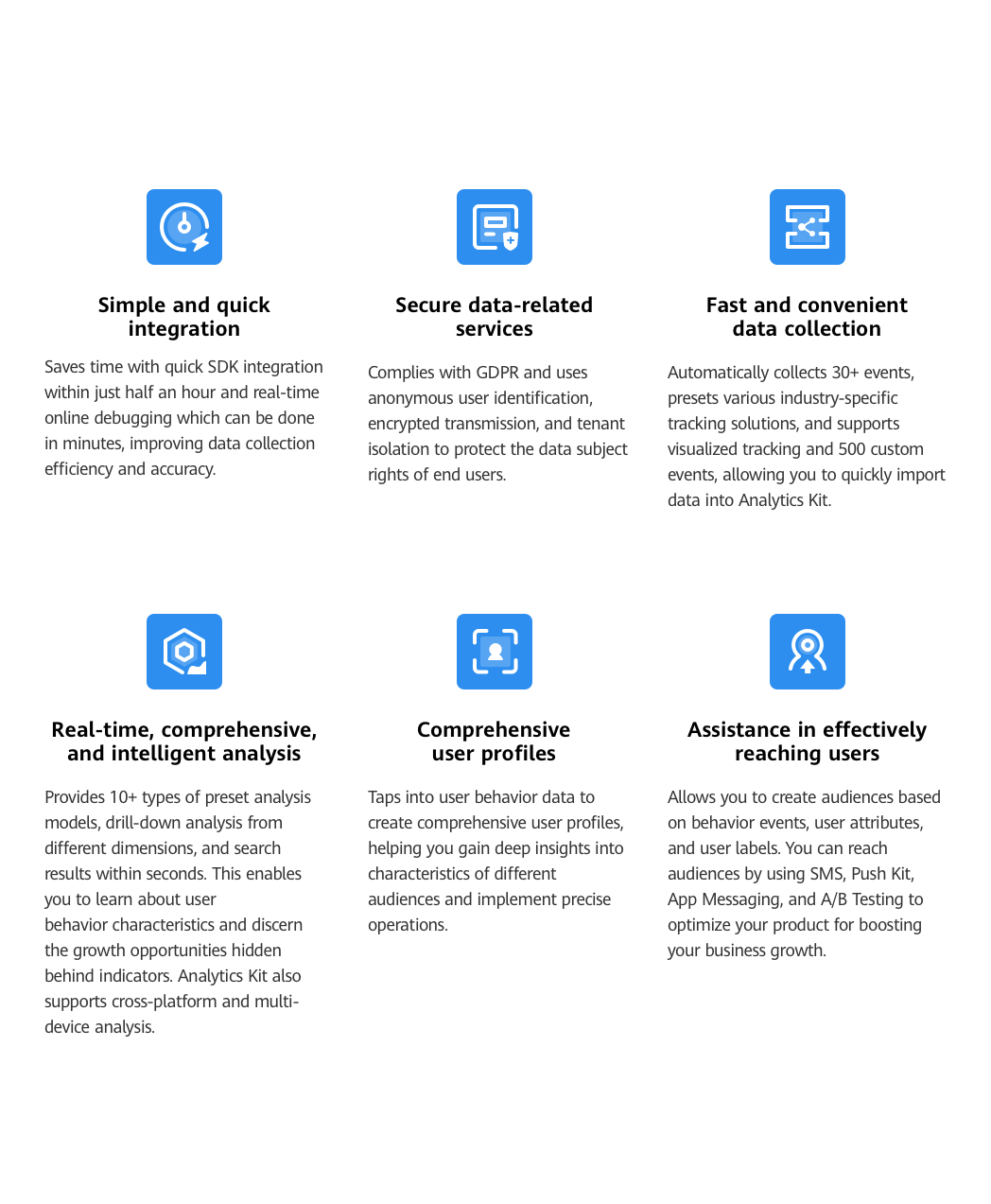
A maximum of 500 events are supported.
You can register a maximum of 25 parameters for each event, and a maximum of 500 event parameters for each project.
For details, please refer to Supported Countries/Regions.
Intelligent Assistant
Chat with our virtual assistant to get answers promptly.
Quick start
Helps you find desired resources with ease.