


Intelligent Assistant
Chat with our virtual assistant to get answers promptly.
We use essential cookies for the website to function, as well as analytics cookies for analyzing and creating statistics of the website performance. To agree to the use of analytics cookies, click "Accept All". You can manage your preferences at any time by clicking "Cookie Settings" on the footer. More Information.
Distribute
In the app test phase, you can configure sandbox test accounts in AppGallery Connect, use relevant services, such as downloading paid apps, making in-app purchases, and using Game Service with the test accounts, and test your app functions free of charge in the simulated environment.
To use sandbox tests for order, subscription, and game function services, integrate the HMS Core SDK 3.0 or a later version to your app. Other sandbox tests are as follows:

A test account must be a registered HUAWEI ID.
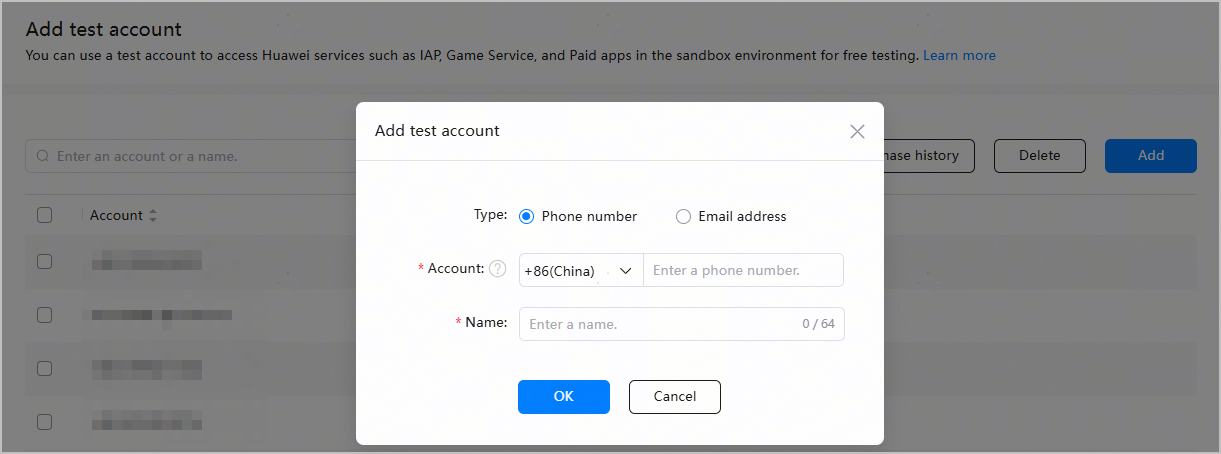
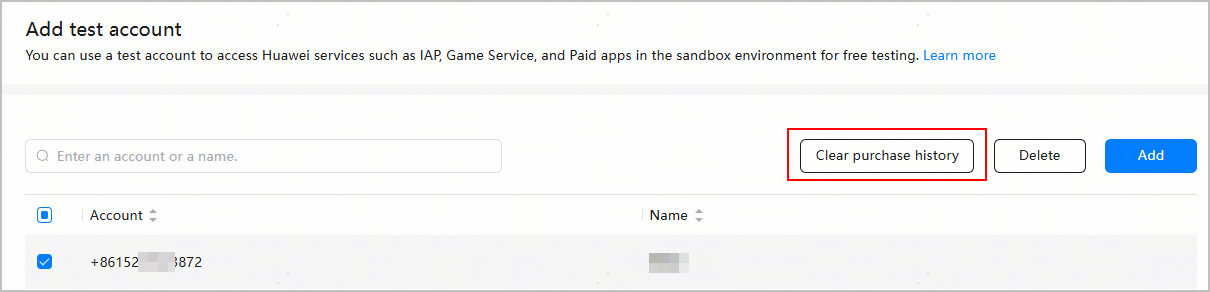
To use a test account to repeatedly test the function of purchasing subscriptions and non-consumables, you can clear the purchase history.
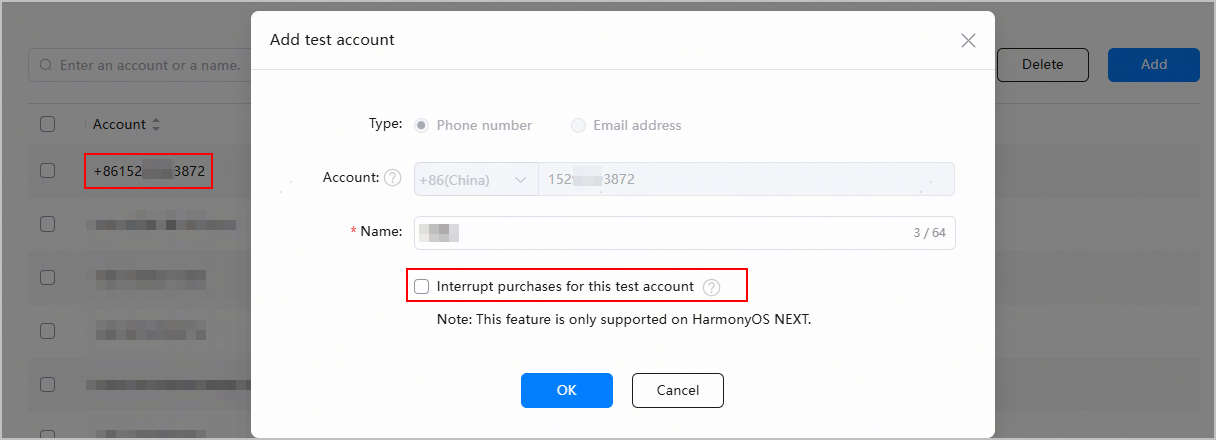
To verify whether the handling logic works correctly when a purchase is interrupted due to network issues, you can simulate a failure by interrupting the purchase process for a test account.
After you click OK, all purchase attempts by this test account in the sandbox environment will be interrupted.
Intelligent Assistant
Chat with our virtual assistant to get answers promptly.
Quick start
Helps you find desired resources with ease.